DOCUMENTATION
Discount Rules
No-code spend tiers, quantity breaks & BOGO — the Scripts successor.
Install & start the trial
- Install the app from the Shopify App Store.
- Start the 14-day free trial ($19.99/mo after; billed by Shopify, cancel anytime). The app is fully unlocked during the trial.
- You land on the rules list — every promotion you build lives here with its live/draft status.
The three rule types
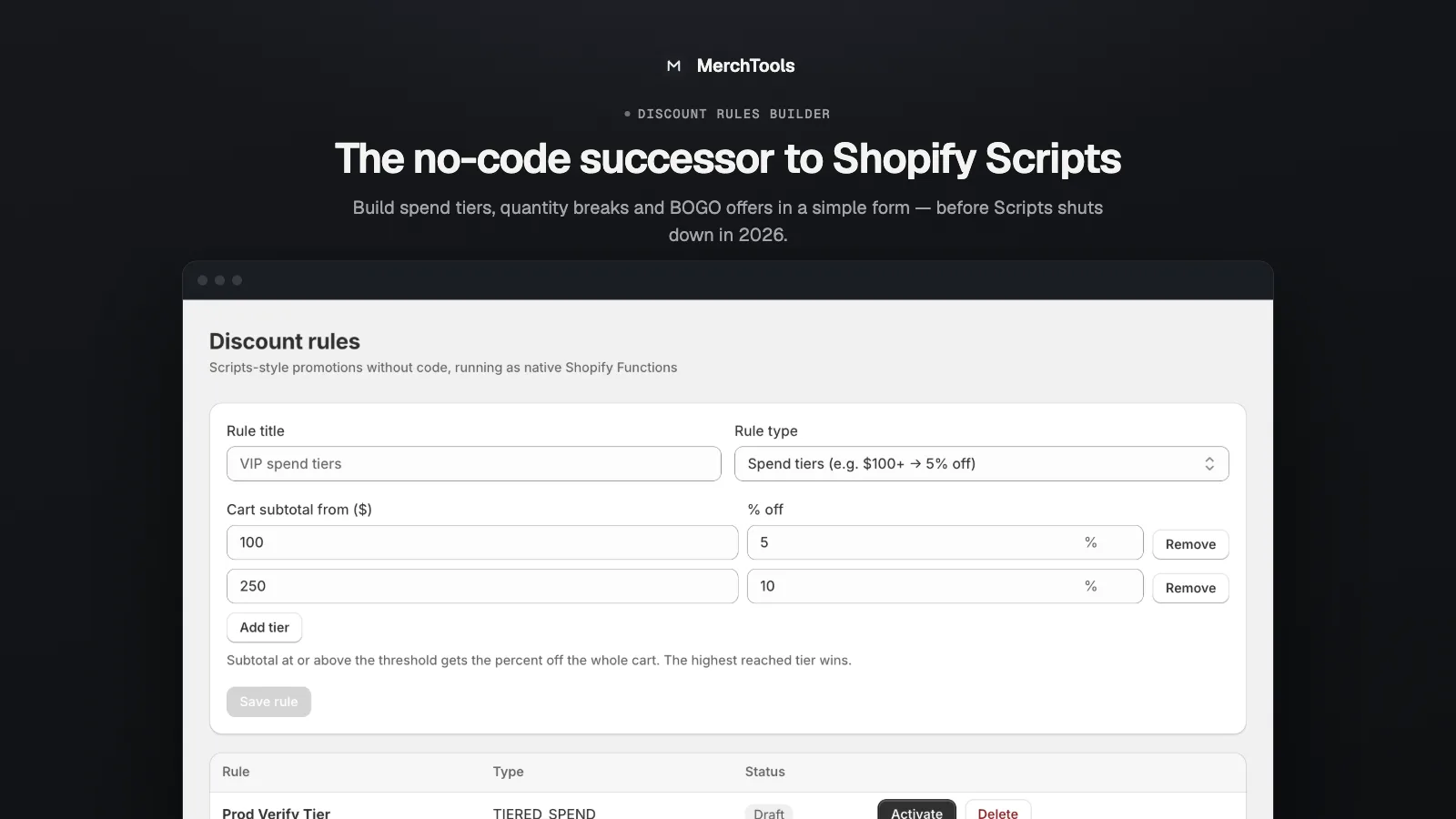
- Spend tiers — discount grows with the cart total: $100+ → 5%, $250+ → 10%. Add as many tiers as you want; the highest tier the cart reaches wins.
- Quantity breaks — bulk pricing per line: 10+ units of a product → 15% off that line.
- Buy X, Get Y (BOGO) — buy 2, get 1 free, buy-one-get-one-half-off, or any buy/get quantity with a chosen product and percentage.
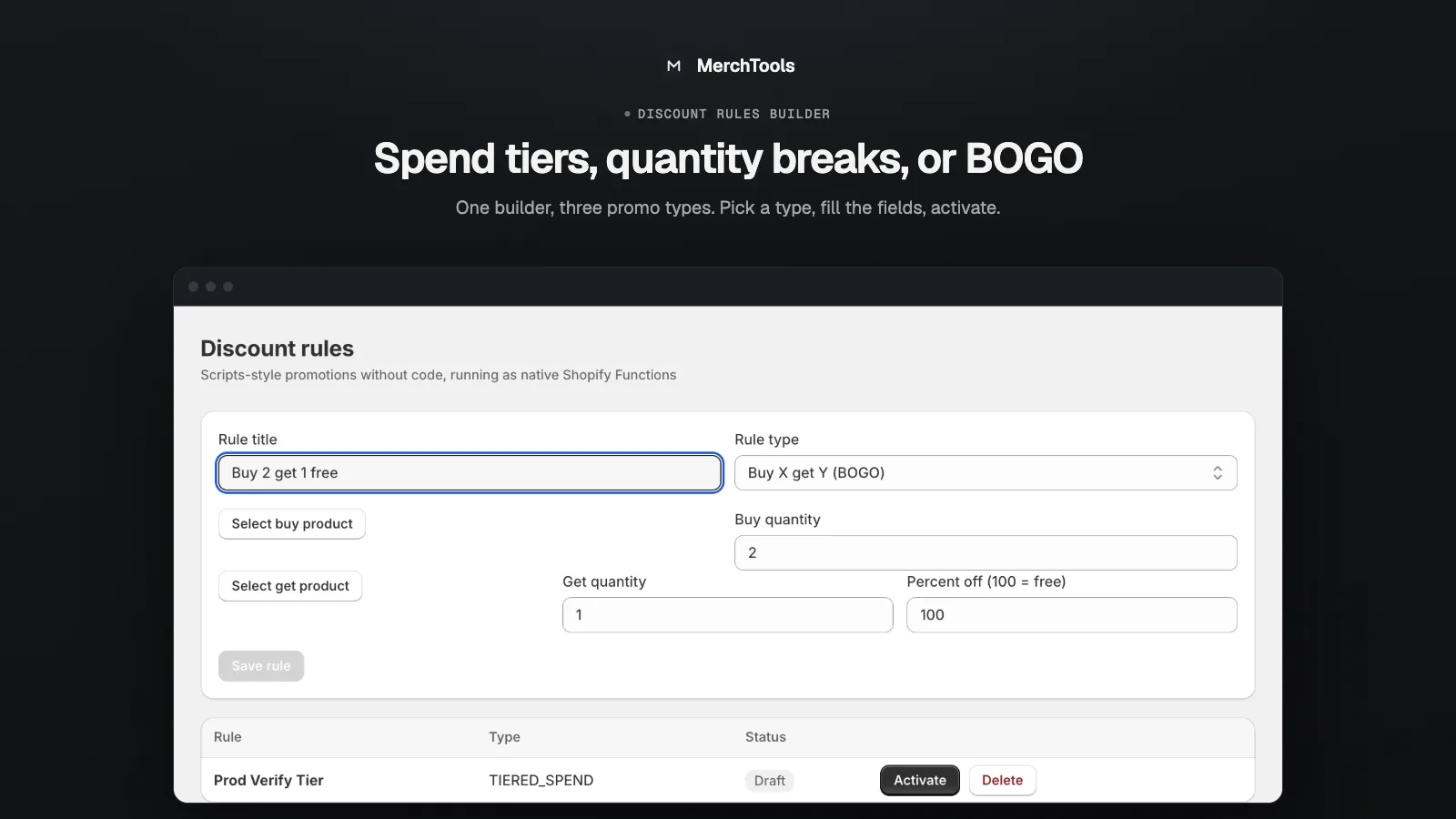
Create a rule
- Click New rule, choose the type and give it a title — the title is what shoppers see as the discount label at checkout.
- Fill in the structured rows: tier thresholds and percentages, the minimum quantity for a break, or the buy/get quantities for BOGO.
- For product-targeted rules use the product picker to choose which products (or the "get" product for BOGO).
- Save. The rule is created as a draft — nothing is live yet.
Activate & deactivate
Toggling a rule Active registers it with Shopify as an automatic app discount backed by a native Function. Deactivating removes it from checkout instantly but keeps the rule as a draft, so seasonal promotions can be switched on and off without rebuilding them.
How discounts apply
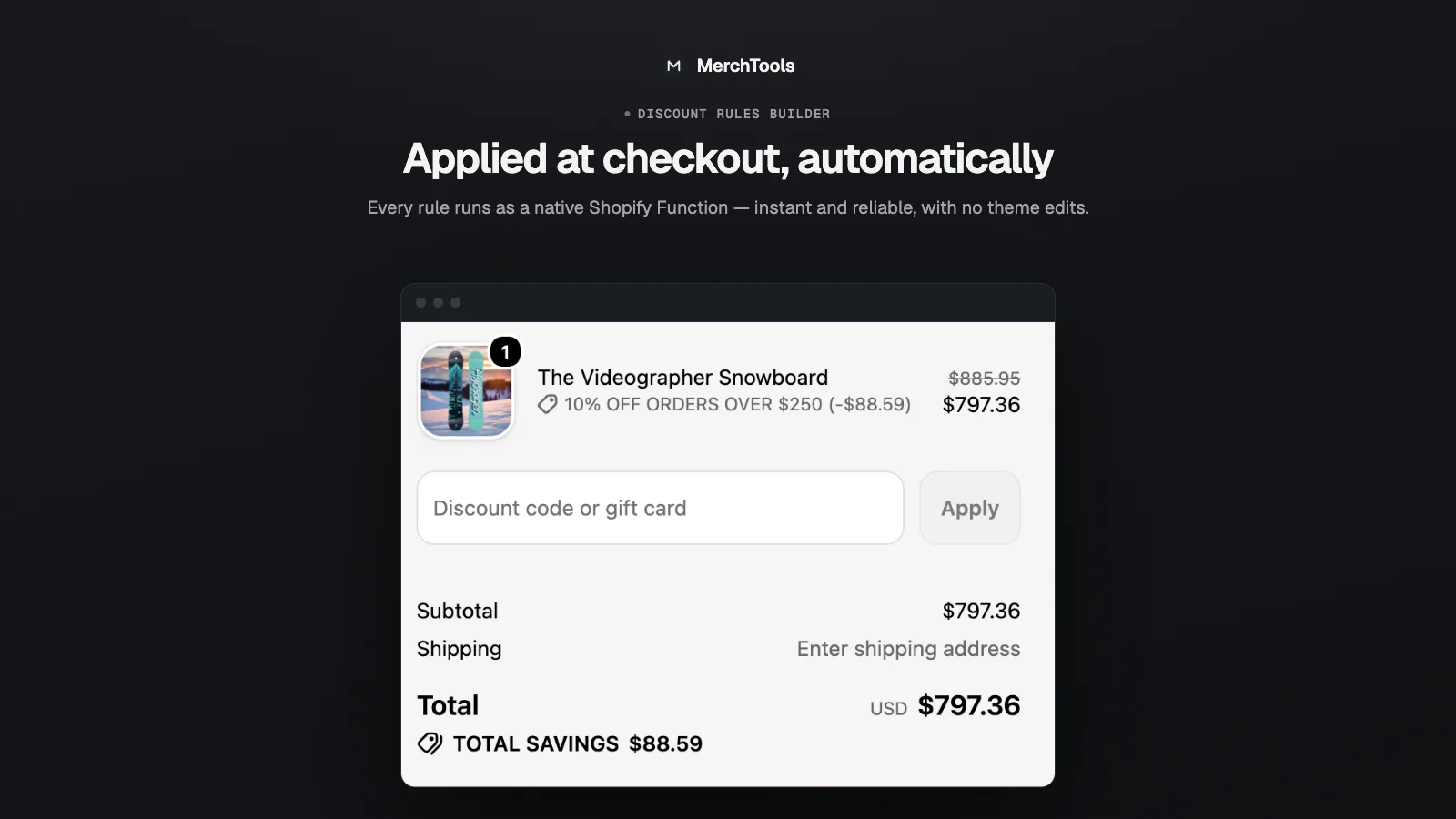
Rules run inside Shopify's checkout as native Shopify Functions— there are no external calls and no added latency. The discount is applied and itemized automatically in the cart and at checkout with your rule's title as the label. No discount codes are involved, so it stacks with a shopper's code the way Shopify's combination rules allow.
Migrating from Scripts
Shopify Scripts reaches end-of-life on June 30, 2026. The three rule types cover the patterns most line-item Scripts implemented: tiered cart discounts, bulk pricing and BOGO. Rebuild each script as a rule, activate it, then retire the script — both can run side by side while you verify totals match.
Troubleshooting
- The discount isn't applying. Check the rule is Active (not draft), the cart actually meets the threshold (tier minimum, break quantity), and — for targeted rules — the products in the cart match the selection.
- Two rules both match — which wins? Each rule is an independent automatic discount; within one spend-tier rule only the highest reached tier applies.
- Amounts look off with multiple currencies. Tier thresholds are evaluated in the store's base currency.
- I deactivated a rule but checkout still shows it. Give it a few seconds and refresh — Shopify caches checkout configuration briefly.
Stuck or found a bug? Email support@merchtools.net — you talk directly to the developer.