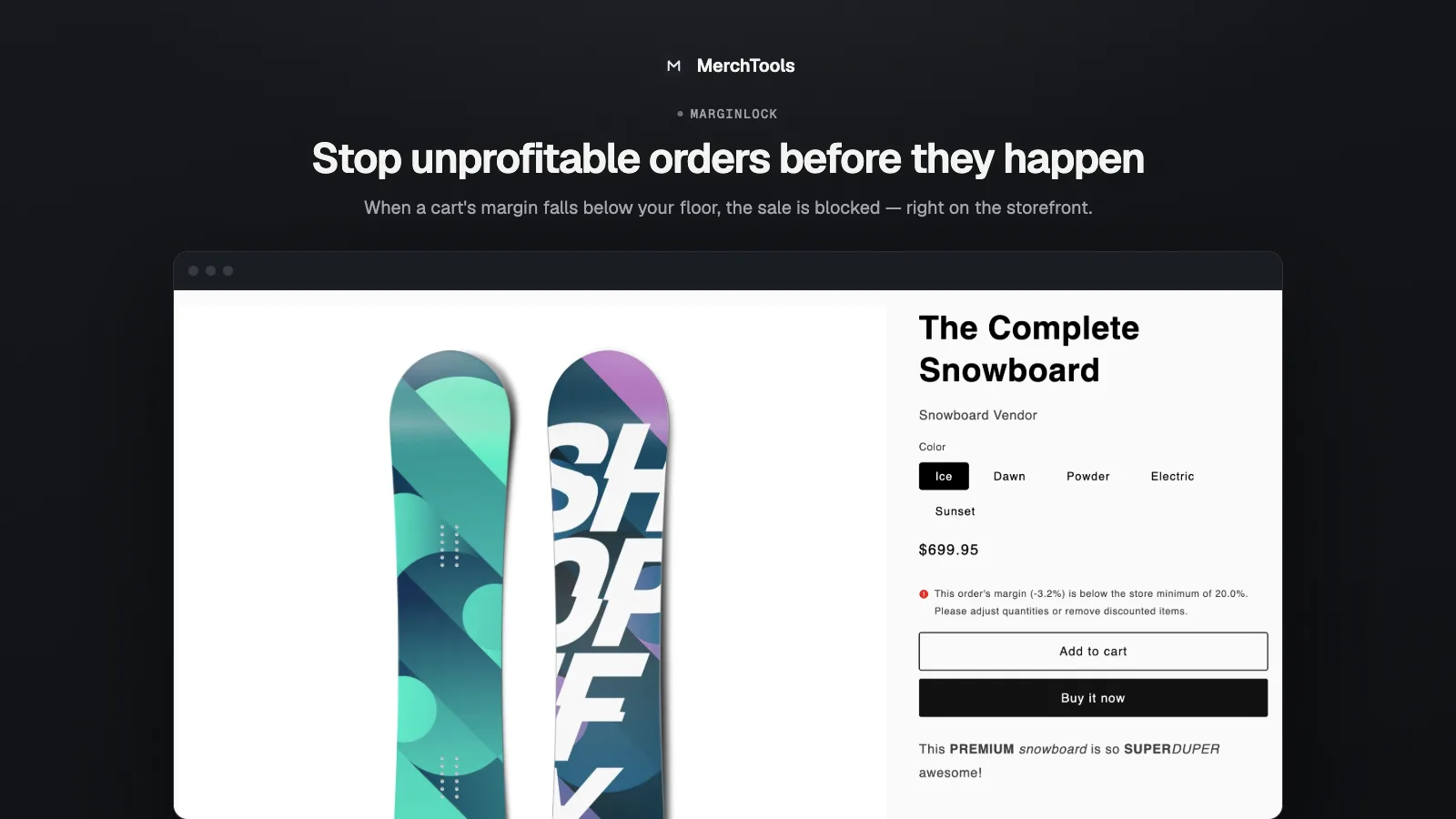
Discounts, bundles and pricing mistakes can quietly sell your products below cost. MarginLock is the guardrail: set a minimum margin, and any cart that would fall below it is stopped at checkout — automatically, before the money is lost.
MarginLock compares each variant's cost to its price in real time using a native Shopify checkout-validation Function. When a cart's blended margin drops under your floor, the buyer sees a clear message and can't complete the order until it's fixed.
What it does
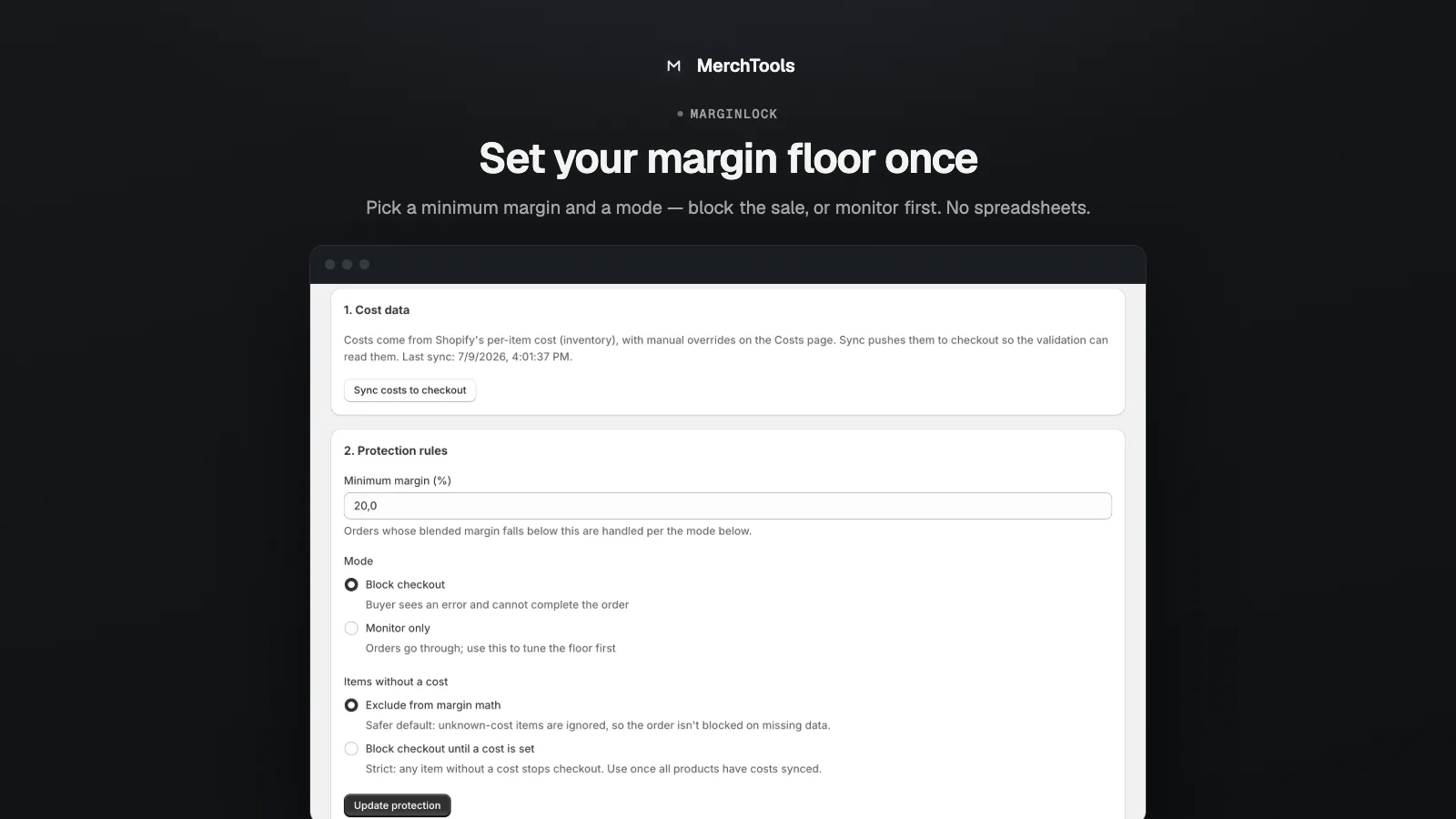
A margin floor, enforced
Choose a minimum margin (e.g. 20%) and a mode: block the sale outright, or monitor-only while you tune the number. Decide what happens to items with no cost data — exclude them, or block until a cost is set.
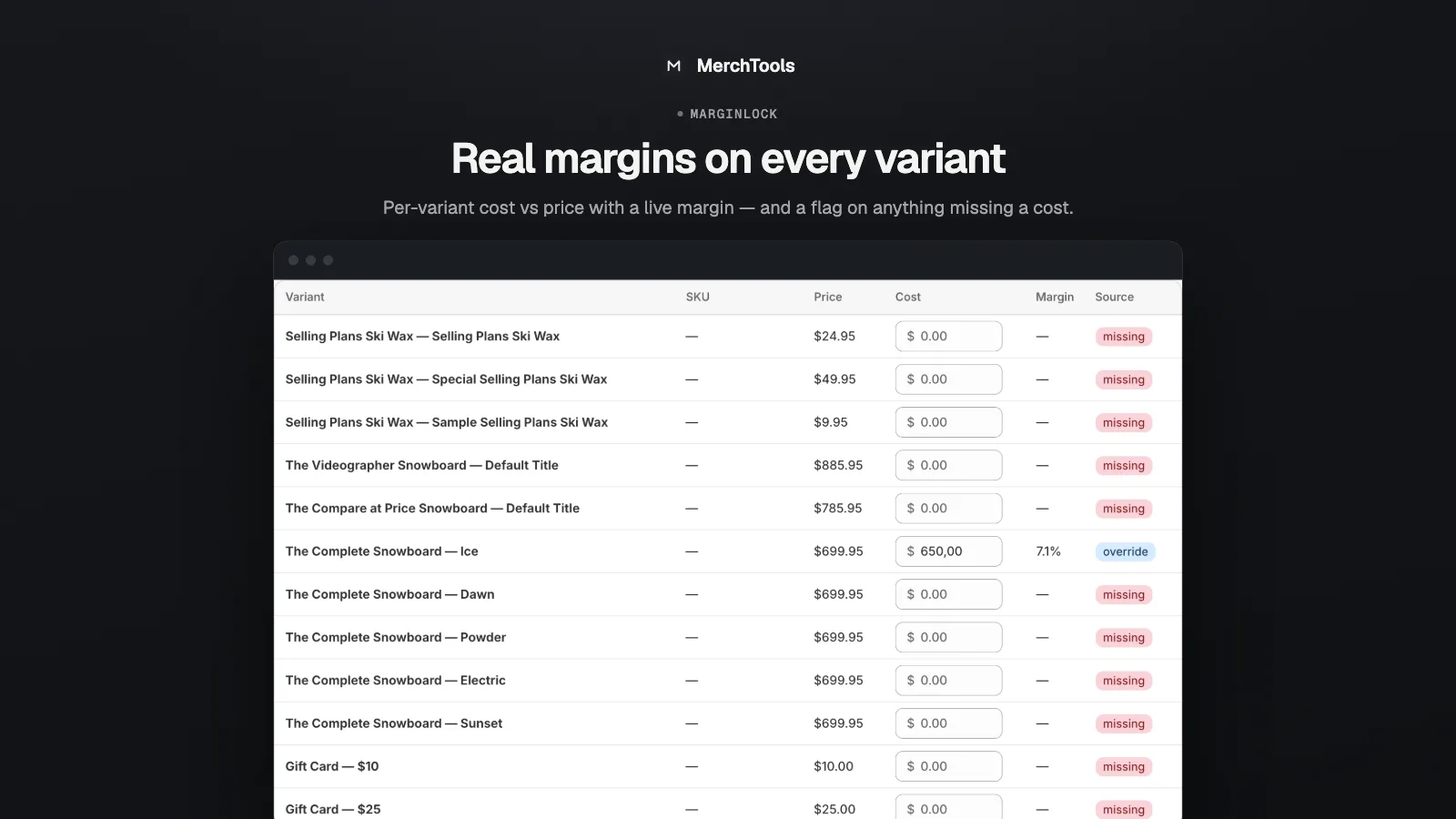
Real margins on every variant
A per-variant table shows cost vs price with a live margin, and flags anything missing a cost so you're never guessing.
Costs from Shopify, plus overrides
Costs come from Shopify's per-item cost field, with manual overrides when you need them — and a one-click sync to keep them current.
No theme code, no slowdowns
MarginLock runs as a native Shopify Function — fast, reliable, and invisible until a cart actually crosses your line.
A look inside
Pricing
Pro
7-DAY FREE TRIAL$14.99 / month
- Checkout margin enforcement
- Block or monitor-only mode
- Per-variant cost/margin table
- Cost sync + manual overrides
Billing is handled by Shopify. Try everything free for 7 days — cancel anytime from your Shopify admin.
Frequently asked questions
How does MarginLock know my costs?
It reads Shopify's per-item cost (the "Cost per item" field on each variant) via a one-click sync, and lets you override any variant manually in the app.
What does the buyer see when a cart is blocked?
A clear checkout error, e.g. "This order's margin is below the store minimum of 20%". You control the floor; the message explains the block instead of failing silently.
Can I test it without blocking real customers?
Yes — monitor-only mode evaluates every cart against your floor without blocking, so you can tune the number safely before enforcing it.
What about products with no cost set?
You choose: exclude them from the calculation, or treat missing costs as a reason to block until someone fills the cost in.