DOCUMENTATION
MarginLock
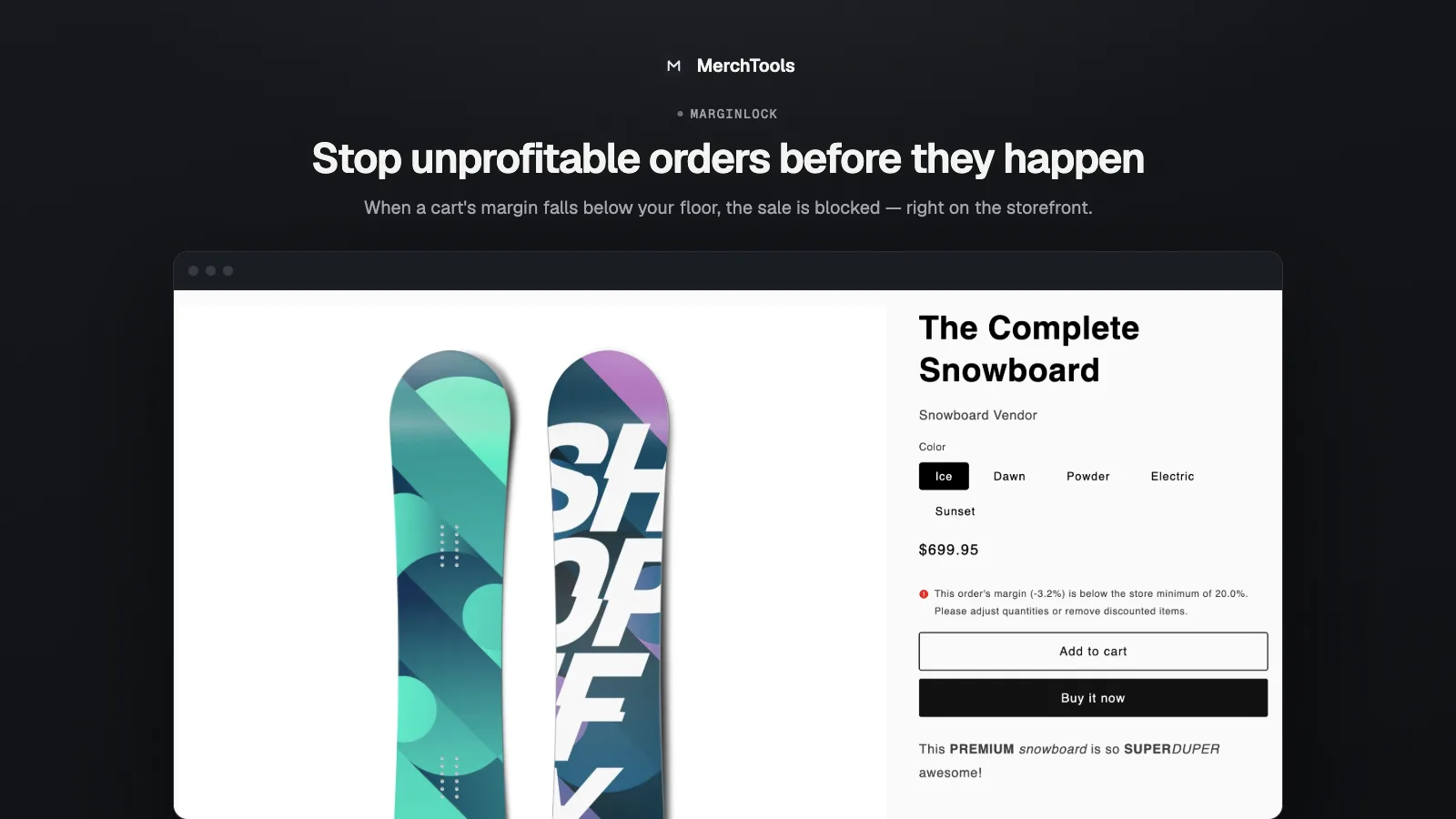
Block unprofitable orders at checkout with a minimum-margin floor.
How it works
MarginLock installs a native Shopify checkout-validation Function. On every checkout it computes the cart's blended margin — (price − cost) / priceacross all lines, using each variant's cost — and compares it to your floor. Below the floor, the buyer sees a clear message and cannot complete the order. There is no theme code and no added checkout latency.
Install & start the trial
- Install the app from the Shopify App Store.
- Start the 7-day free trial ($14.99/mo after; billed by Shopify, cancel anytime).
- You land on the cost table — the next step is making sure your costs are in.
Sync costs
Margins are only as good as your costs. MarginLock reads Shopify's own "Cost per item" field on each variant:
- Fill in Cost per item on your products in Shopify (Products → variant → Pricing) — most stores already have this for Shopify's profit reports.
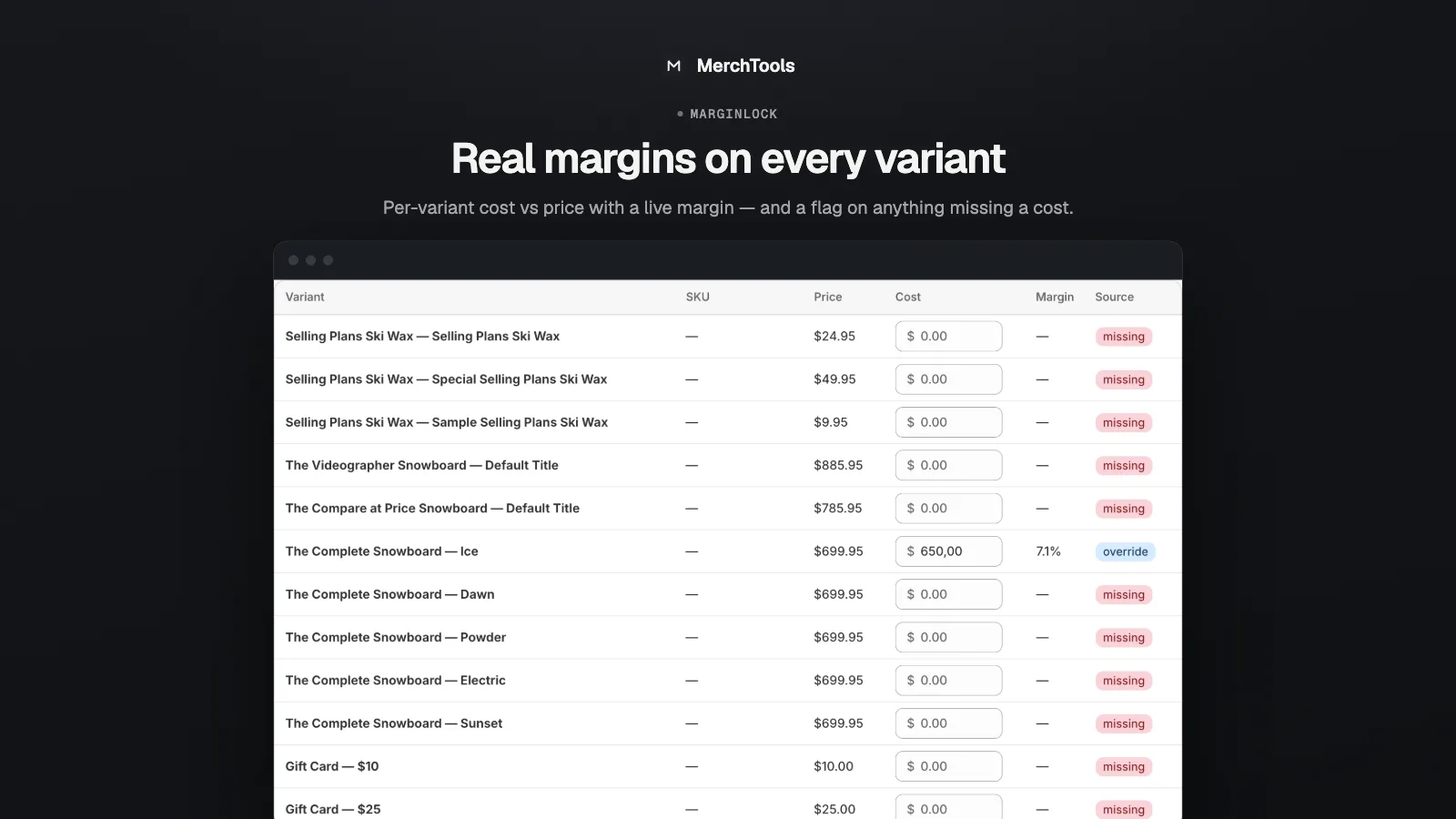
- In MarginLock click Sync costs. The per-variant table fills with cost vs price and a live margin per line.
- Anything missing a cost is flagged. Fix it in Shopify and re-sync, or set a manual override right in the table — overrides win over synced values.
Set the floor & mode
- Minimum margin — the floor as a percentage, e.g. 20%.
- Mode — Block stops the checkout; Monitor evaluates without blocking, so you can tune the floor safely first.
- Missing costs — choose whether variants without a cost are excluded from the calculation or block the checkout until a cost is set.
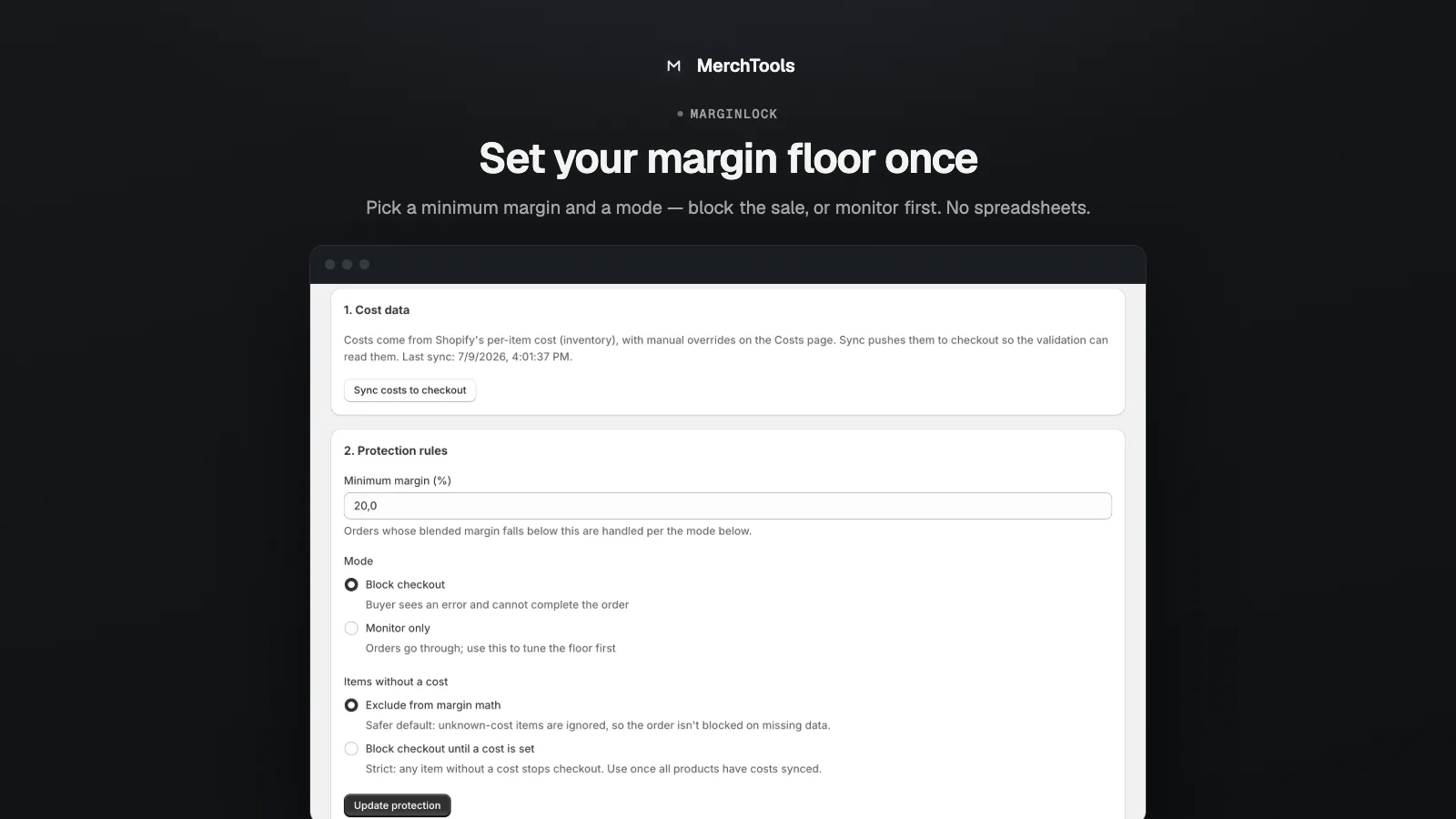
Start in Monitormode for a day or two if you run frequent discounts — you'll see what would have been blocked and can set the floor with confidence before enforcing it.
Activate & test
- Click Activate — this registers the validation with Shopify's checkout.
- Test it: discount a product below your floor (or set a temporary floor above a product's real margin), add it to a cart, and try to check out. You should see the block message with the computed margin and your floor.
- Reset your test changes. Real carts above the floor are untouched — the Function is invisible until a cart crosses the line.
If you cancel the subscription, MarginLock removes its checkout validation automatically — a lapsed plan never leaves your checkout blocked.
Troubleshooting
- Nothing gets blocked. Check the mode is Block (not Monitor), the app is Activated, and the cart's blended margin really is below the floor — one high-margin item can lift a mixed cart above it.
- The block message shows a different floor than I set. Re-save settings and re-activate — the floor travels with the validation's configuration.
- A variant shows no margin. It has no cost. Add Cost per item in Shopify and re-sync, or set an override in the table.
- I need to let one order through. Switch to Monitor mode, let the order complete, switch back — or raise the floor temporarily.
Stuck or found a bug? Email support@merchtools.net — you talk directly to the developer.