Your thank-you and order-status pages are the most-read pages you have — and, until now, the least used. Thank You Toolkit adds conversion blocks to Shopify's new post-purchase pages so every order becomes a reason to come back.
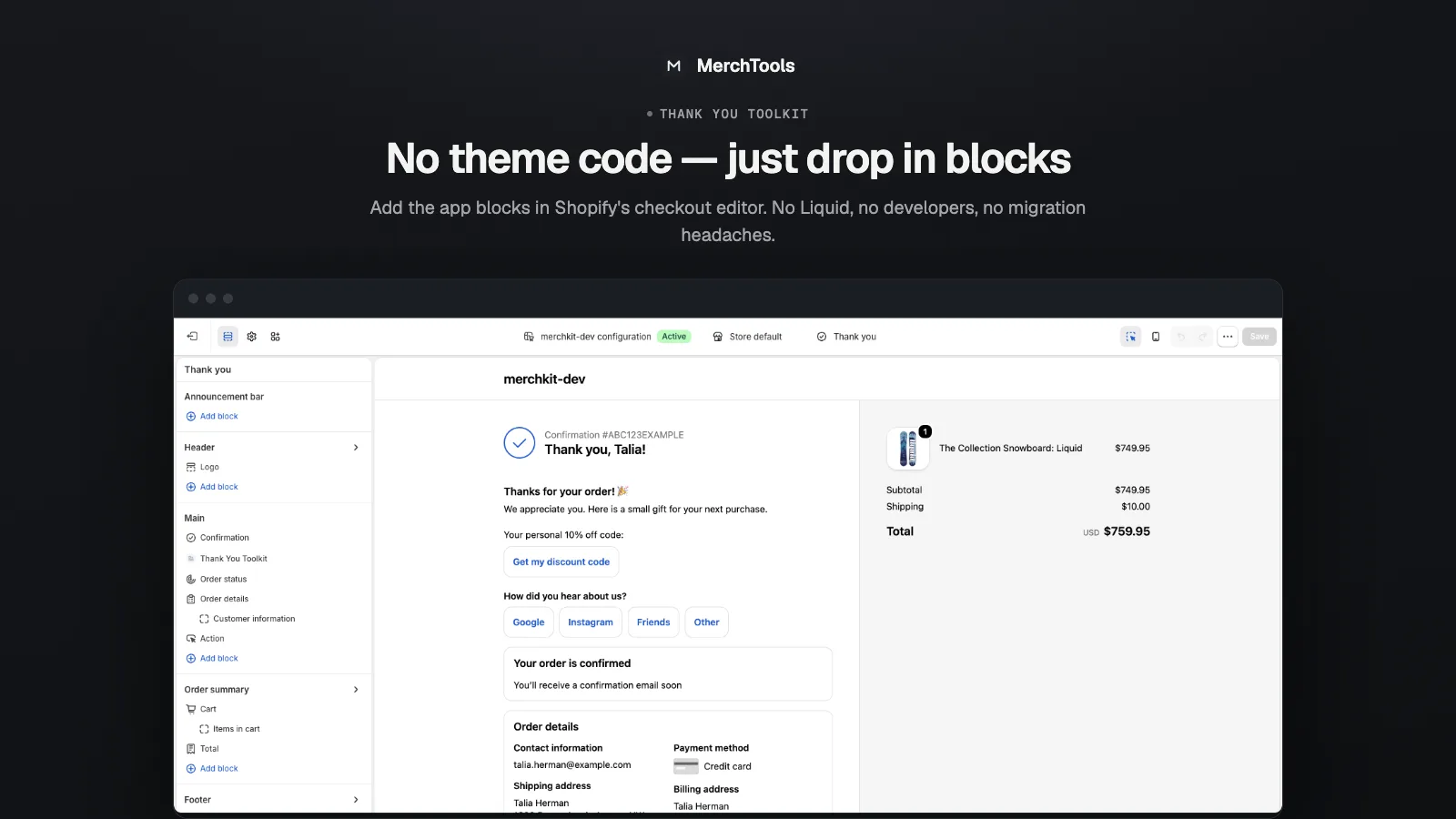
Built natively for Shopify's checkout extensibility (the successor to the old order-status scripts), it installs as app blocks you drop into the checkout editor — no theme code, no Liquid, no developers.
What it does
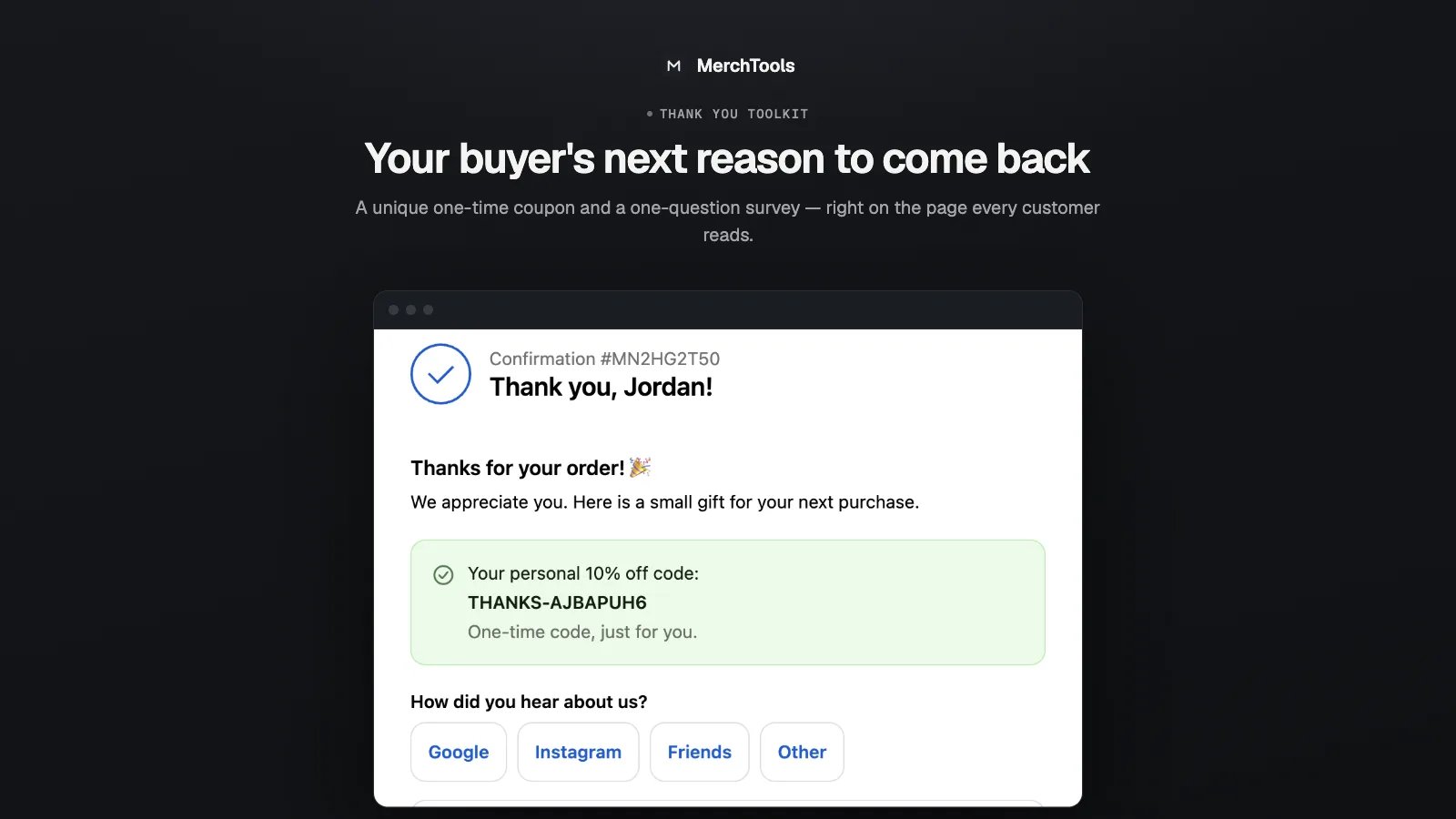
Unique one-time coupons
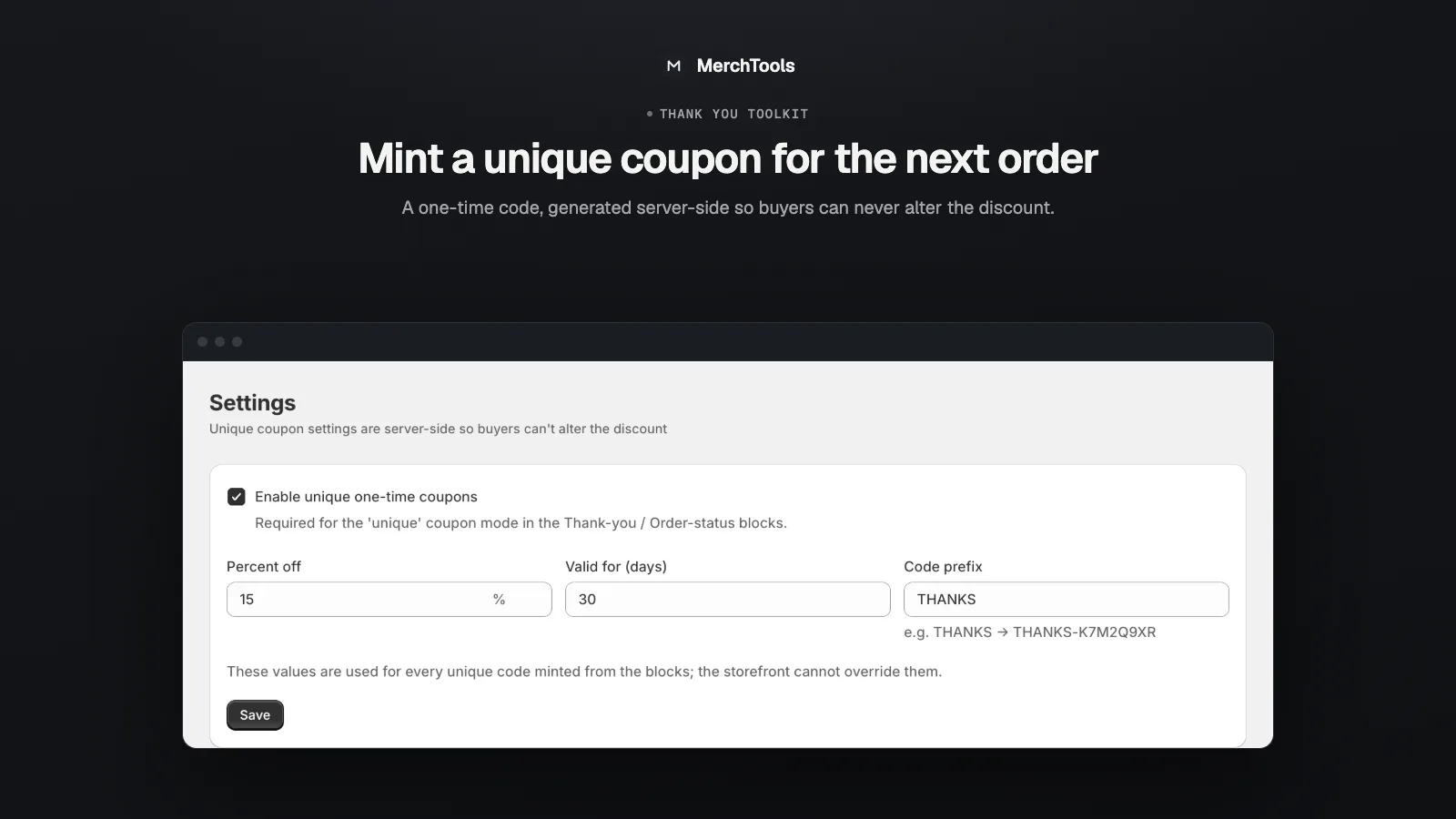
Reward the purchase that just happened with a personal code (e.g. THANKS-A1B2C3D4). Codes are generated server-side — a shopper can never tamper with the discount — and issued once per order, so refreshes don't create duplicates. Prefer a single static code? That works too.
Post-purchase survey
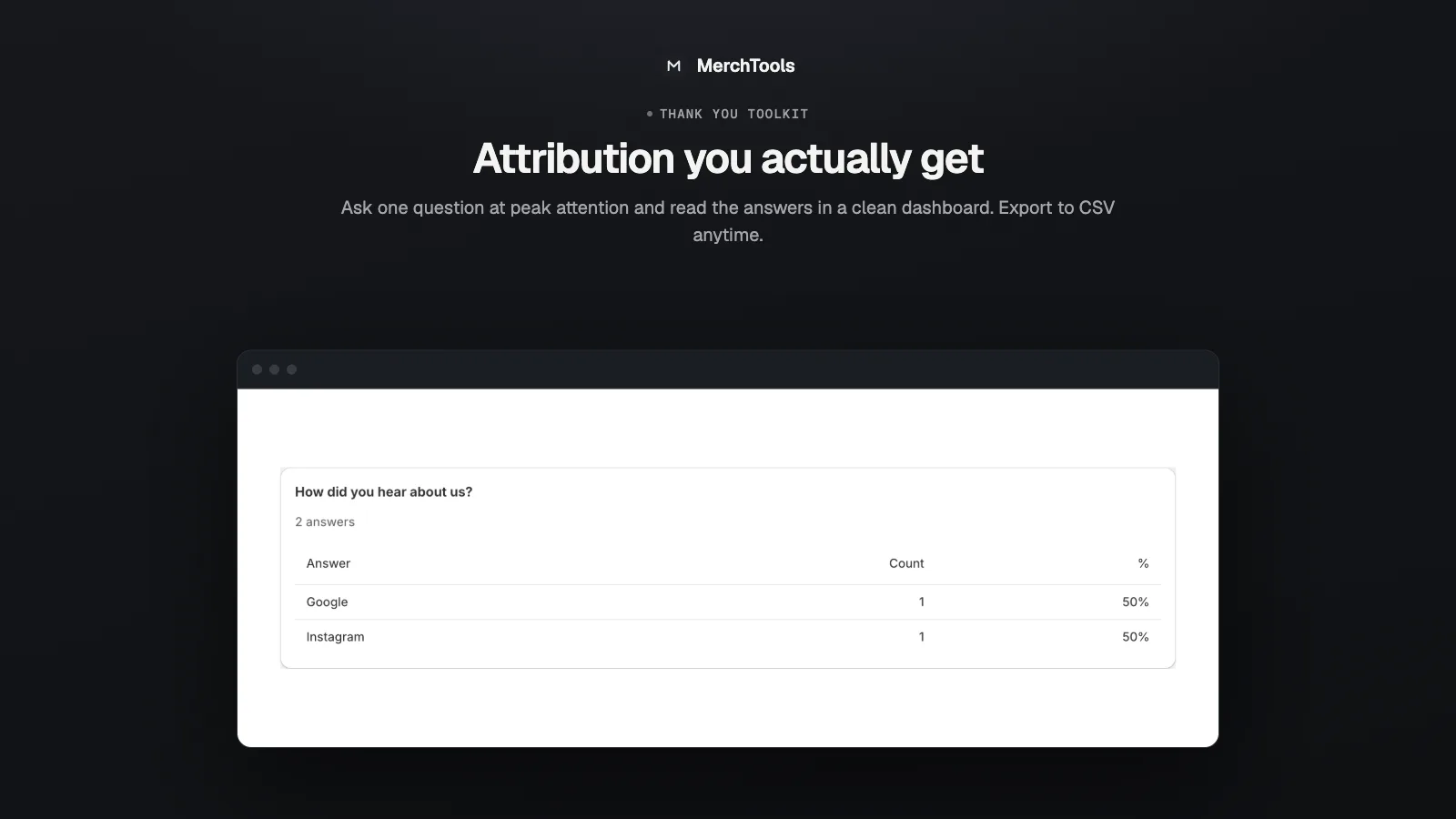
Ask one question while attention is highest — "How did you hear about us?" — and read the answers in a clean dashboard. Attribution you actually get, at the moment people are happy to answer.
Custom message & upsells
A custom thank-you message block and upsell blocks let you match your brand and nudge the next purchase, right on the confirmation page.
Built for the new pages
Works on Shopify's new Thank-you and Order-status pages (checkout extensibility) — ready before the migration deadline for legacy order-status scripts.
A look inside
Pricing
Free
$0 / month
- Up to 50 orders / month
- All block types
- Survey results dashboard
- MerchTools branding line on blocks
Pro
7-DAY FREE TRIAL$14.99 / month
- Unlimited orders
- All block types
- Survey results CSV export
- No branding
Billing is handled by Shopify. Try everything free for 7 days — cancel anytime from your Shopify admin.
Frequently asked questions
Does it work with Shopify's new Thank-you and Order-status pages?
Yes — that is exactly what it is built for. The blocks use Shopify's checkout extensibility, the official replacement for legacy order-status page scripts, and are added in the checkout editor.
Can shoppers tamper with the coupon discount?
No. Codes are minted server-side with your configured percentage and expiry. The browser only ever receives the finished code, and each order can mint at most one.
Do I need to edit my theme?
No. Blocks are added in the checkout editor (Settings → Checkout → Customize), not in the theme. Uninstalling removes them cleanly.
What happens when I hit the free plan's 50-order limit?
Blocks keep rendering, but new coupon mints and survey answers pause until the next calendar month — or immediately resume when you upgrade to Pro.